
Descripción
Spelunky
GOG CD Key Platform:
GOG
Release Date:
08/08/2013
Product Description Includes:
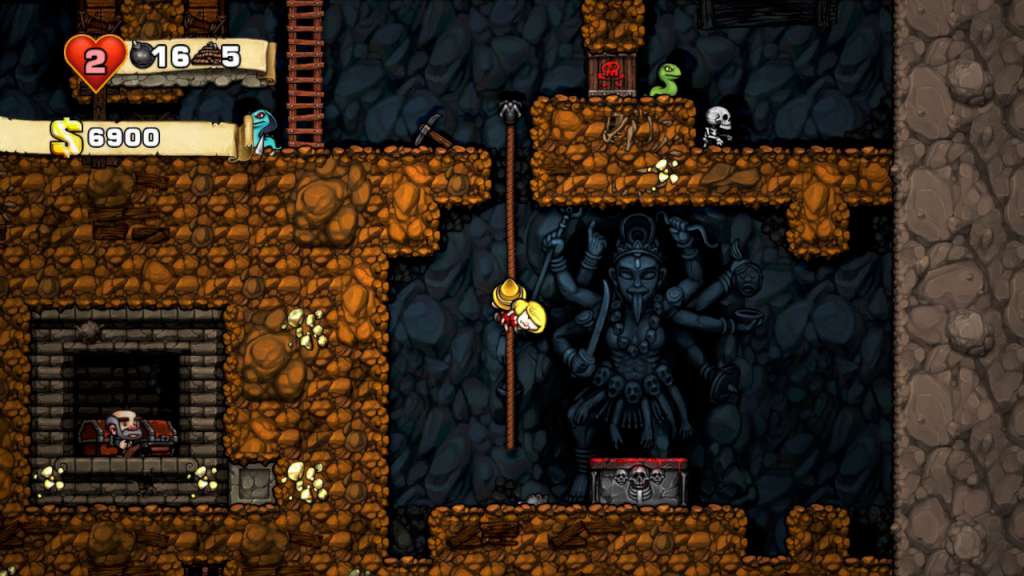
4 wallpapers, soundtrack, Spelunky Classic soundtrack, 28 avatars, Spelunky Classic “Legends speak of a cursed cave hidden beneath the desert, so twisted by time that its passages shift like the sand under which it lies. The cave is said to be filled with fabulous riches, but also incredible danger!” Spelunky is a unique platformer with randomized levels that offer a challenging new experience each time you play. Journey deep underground and explore fantastic places filled with all manner of monsters, traps, and treasure. You’ll have complete freedom while you navigate the fully-destructible environments and master their many secrets. To stay or flee, to kill or rescue, to shop or steal… in Spelunky, the choice is yours and so are the consequences! Features Randomly-generated, fully-destructible levels filled with monsters, traps, treasure, and secrets. Offline multiplayer supports up to 4 explorers in madcap cooperative and deathmatch modes. IGF “Excellence in Design” Award-Winner, Gamespot’s “Platformer of the Year”, Edge’s #2 “Best Game of 2012”.
System Requirements OS:
Microsoft Windows XP / Vista / 7 / 8
Processor:
Intel Core 2 Duo 2.8GHz or equivalent processor
Memory:
2
GB RAM Graphics:
3D graphics card
DirectX:
Version 9.0c
Hard Drive:
200
MB available space Additional Notes:
Xbox 360 controller or other XInput-compatible controller
Cómo activarlo
In order to redeem the GOG code please follow the instructions below:
1. Please create an account or login on https://www.gog.com
2.
Go to http:
//www.gog.com/redeem
3. Enter the code and then press “CONTINUE”
4. After a short amount of time you will see the details about the product, please press “CONTINUE” again.
5. Download and install the GOG.com downloader
6. Login to the software and get back to the product page
7.
Go to https:
//www.gog.com/account and look for the “Games” tab.
8. Press the box of the product you want to download.
9. Activate the GOG.com Download Mode on the right side of product menu. 10.Choose the installation package from the list and save it with the GOG Downloader.
 English
  Español
  Français
  Deutsch