
Description
Let your Sims swim in the ocean on a hot summer day, bob for apples in the autumn leaves, test their snowboarding skill on the half pipe, or welcome spring showers with a walk in the rain and a colourful umbrella. All-new activities, like soccer, and big seasonal festivals and celebrations bring the spirit of each season to life. Your Sims can pucker up at the kissing booth at the spring festival, or see what Halloween surprises await in the haunted house. Dress for the weather with seasonal fashions from raincoats to snow gear. With new foods, décor and weather effects, your Sims can enjoy the bounty and beauty of the ever-changing seasons and play with life like never before! Features Delight your
Sims with new activities for every season:
Whether building an intimate igloo, carving a scary Jack o’ lantern, taking a plunge off the diving board, or setting off all-new fireworks, your Sim can always find new things to do throughout the year.
Join the fun with seasonal festivals:
Sims can get in a snowball fight at the annual winter festival, get their faces painted at the summer festival, whoop it up at the spring dance, or bob for apples during the fall festival. Experience the joy and challenge of changing weather: New weather effects and Sim reactions capture the power and beauty of nature! Sims can get a tan, be struck by lightning, or catch a cold!
Bring the outdoors inside:
Your Sim can now learn the recipe for pumpkin pie or style their home with new furniture and décor. There are a host of new items to ring in each season. Get a tanning booth in time for summer, or ring in the holiday spirit with house lights and decorations.
Dress for the weather:
Outfit your Sim in new styles for the season, including snow gear, raincoats and umbrellas, and new Halloween costumes!
Welcome mysterious visitors:
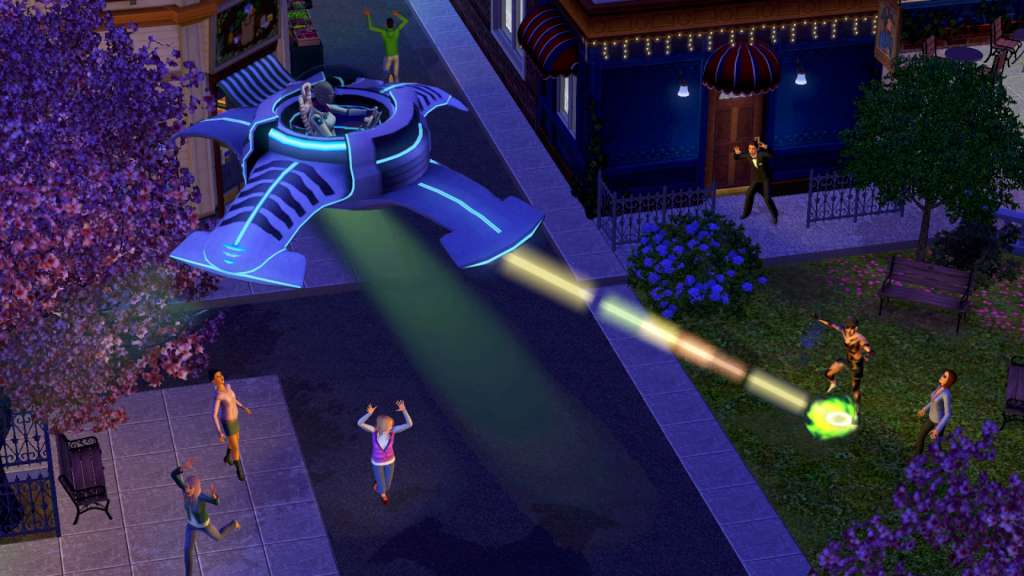
New weather patterns aren’t the only things appearing in the sky! Befriend an alien visitor and use their UFO to abduct a neighbor, invade a community lot, or travel to the stars.
Comment l'activer
In order to redeem the code follow the instruction below:
Go to http:
//www.thesims3.com and make an account if you do not already have one. If you already have an account, skip to step
2. If you already have an Origin account, please use the same email and password to register on http://www.thesims3.com.
Once you are a registered member of http:
//www.thesims3.com, login to your account so that you can then register your game codes. Click on the My Page tab. Then click the My Account tab. Click on Register a Game. Enter the product code for the expansion pack or stuff pack. Click the green Register button. If the method above won’t work, please follow the instruction below: If you have not done so already, create your free Origin/EA account on www.origin.com. Log in to the Sims 3 community website using your Origin email and password. If you are logging in for the first time, use your provided key for the Sims 3 base game during the registration process. To redeem the games on your Sims 3 account select “My Page” -> “My Account” -> “Register a Game” Enter your 20-character key for The Sims 3, Late Night Expansion, or High End Loft Stuff. (note, if you entered the The Sims 3 base game code in step 2, you don’t need to re-enter it here) That’s it! The Games will automatically be added to your Origin account, and can be accessed and downloaded through the Origin client.




 English
  Español
  Français
  Deutsch