60177

"kinguin_141691"


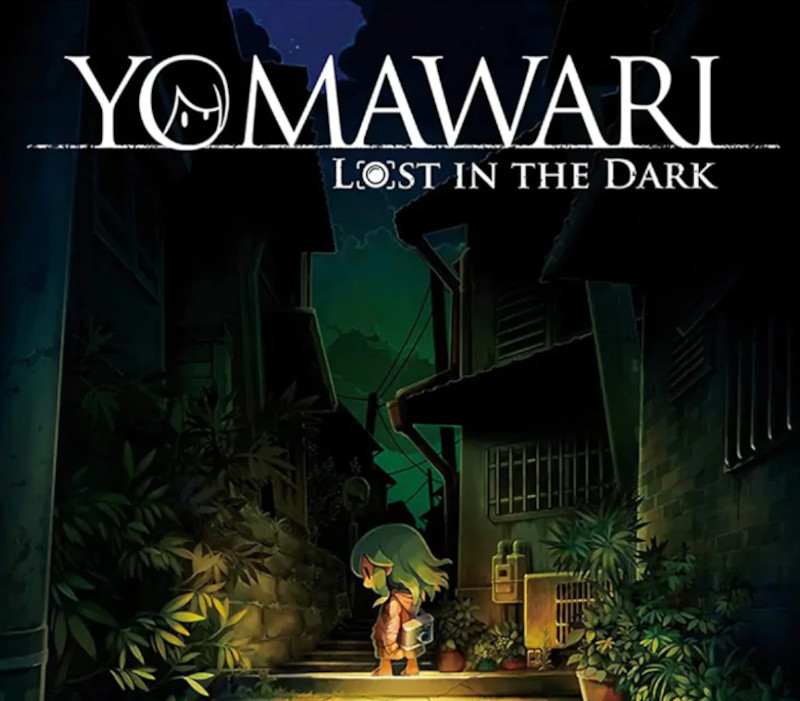
Yomawari: Lost in the Dark NA PS4 CD Key

32,71$

Yomawari: Lost in the Dark NA PS4 CD Key is a digital license code with no expiration date. After purchase, you will receive the code directly by email — no shipping fees. Activate the code on the platform and system indicated below.

Platform
PlayStation 4
System
Windows
Buy now
Please note! Your purchase of this digital product is subject to our Terms and Conditions.
  • Rated 9.4 by customers
  • Fast & expert support
  • 100% genuine codes
  • Best prices
  • Instant delivery
SKU: kinguin_141691 Category:

Description

A young girl awakens in a dark, unfamiliar forest with no recollection of how she got there. As she searches for the way out, she crosses paths with a mysterious individual who reveals to her that she’s been cursed. In order to break the curse, she needs to explore the streets of her town at night to seek out her lost memories. However, malevolent ghosts lurk within the shadows, and the girl must avoid them by running, hiding, and shutting her eyes if she hopes to survive long enough to break her curse.

Features The Night Continues:
Another chapter of the atmospheric horror series has emerged from the shadows! With a new story set in a frighteningly familiar world, new and returning fans alike can dive right in.

Home Sweet Haunt:
Eerie sound design and shadowy environments set the stage for gruesome and terrifying ghosts never seen before in the series. New Fear,

New Me:
For the first time in Yomawari, you can customize your character’s appearance by changing her hairstyle, hair color, clothes, and accessories.

See No Evil:
Do whatever it takes to survive the terrors of the night. Unveil secrets and specters alike using your flashlight. Find clues while listening to the sound of your heartbeat to detect nearby ghosts, and utilize a new mechanic, closing your eyes, to avoid the gaze of the evil spirits watching you.

How to activate

In order to redeem Playstation Network

Code please follow instruction below:
Go to http://www.SonyEntertainmentNetwork.com Click “Manage Account” and sign in with your Sign-In ID(E-mail Address) and Password. Click on “Redeem Prepaid Card”. Enter the code printed on the voucher or PlayStation Network Card and click “Continue”. If the code is valid, you will be presented with a description of what the code will deliver to your account. Press “Redeem…” button to add the item or funds to your account.
Additional information

Platform

Region

Type

Terms

  • Purchases for commercial use are not accepted unless stated otherwise.
  • You are purchasing a digital product only.
  • These downloadable codes are produced by the game developer and are original.
  • The codes have no expiration date.
  • For “Downloadable Content” or DLC products, you must own the original game to play the expansion. We cannot offer refunds on these.
  • Products purchased for the wrong platform cannot be exchanged.
  • If you experience any issues with a purchase, please read our activation guides or contact our customer service.

Frequently Asked Questions

Why is the price so low?

Thanks to our global sourcing strategy, we can buy licenses in bulk in regions where prices are lower. This means our customers benefit from great rates. On top of that, competition in the software and game industry is fierce, keeping prices under constant pressure. By buying efficiently and keeping our margins low, we can offer you a fair price without compromising on quality.

Are the licenses legal and genuine?

Yes, all licenses we offer are 100% legal and genuine. We source our codes exclusively through official distributors and trusted suppliers. Please note that some software and games have specific terms of use set by the publisher. We recommend reading these terms carefully and following them.

Do I also get the download link?

Yes, usually! For software products you often receive a download link in our activation guide. For games it works a bit differently: as soon as you enter the license code on the correct platform (such as Steam, the Nintendo eShop or the Microsoft Store), the game is automatically added to your account and the download starts. If you run into any issues, our support team is ready to help.

What if my license does not work?

If your license does not work, please contact our support team. The issue is often easy to solve, for example by entering the code correctly or checking the right region settings. If the problem persists, we will find a suitable solution together. Your satisfaction is our top priority!