
Description
Windward
GOG CD Key Platform:
GOG
Release Date:
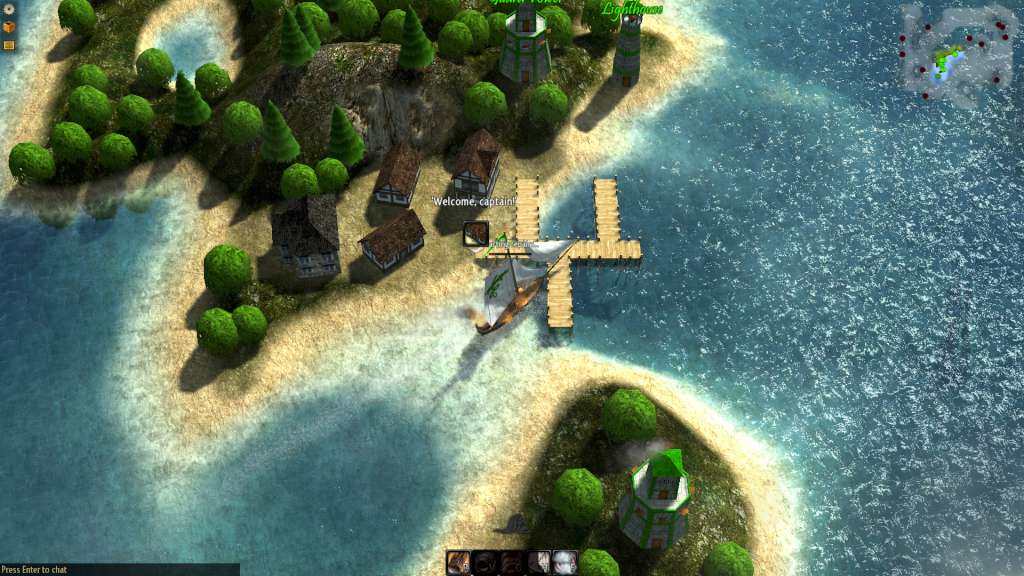
12/05/2015 Product Description Designed from the start to be a fully procedural co-op game, Windward can be played by yourself, but it truly comes alive when playing with friends. Start by generating a procedural world that will be unique to you, design your own custom faction, then sail forth fighting pirates, trading with towns, doing quests or simply exploring — it’s up to you how you want to play. Exploring Windward and vanquishing enemies will reward you and your friends with plenty of booty that can be used to upgrade your ships or obtain new ones as well as experience that can be spent unlocking new talents, abilities and eventually even combat specializations. Features Action-filled sandbox game designed from the ground up for co-op gameplay to play with your friends, Windward is set in a large procedurally generated world. Play together with your friends on your own private server or join others online as you fight through hordes of pirates or become one yourself! System
Requirements PC System Requirements OS:
Vista
Processor:
1.4GHz dual-core Intel Core i5
Memory:
2
GB RAM Graphics:
Intel HD Graphics 5000
DirectX:
Version 9.0c
Hard Drive:
250
MB available space Sound Card:
Integrated audio
Additional Notes:
May need to reduce the graphics quality in-game
Mac System Requirements OS:
OSX 10.7
Processor:
1.4GHz dual-core Intel Core i5 or
AMD equivalent Memory:
2
GB RAM Graphics:
Intel HD Graphics 5000
Hard Drive:
250
MB available space Sound Card:
Integrated audio
Additional Notes:
Macbook Air runs it smoothly with reduced graphics
Linux System Requirements OS:
Ubuntu 14.04, Mint 17
Processor:
1.4GHz dual-core Intel Core i5 or
AMD equivalent Memory:
2
GB RAM Graphics:
Intel HD Graphics 5000
Hard Drive:
250
MB available space Sound Card:
Integrated audio
How to activate
Please create an account or login on https://www.gog.com
Go to https:
//www.gog.com/redeem Enter the code and then press “CONTINUE” After a short amount of time you will see the details about the product, please press “CONTINUE” again. Download and install the GOG.com downloader Login to the software and get back to the product page
Go to https:
//www.gog.com/account and look for the “Games” tab. Press the box of the product you want to download. Activate the GOG.com Download Mode on the right side of product menu. Choose the installation package from the list and save it with the GOG Downloader.
 English
  Español
  Français
  Deutsch