67668

"kinguin_29807"


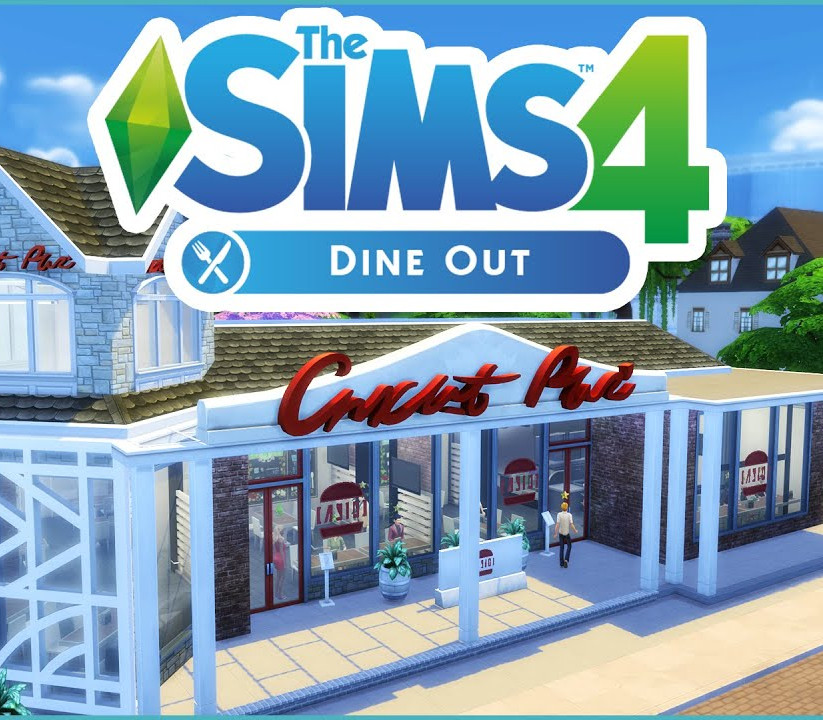
The Sims 4 – Dine Out DLC PC EA App CD Key

26,46$

The Sims 4 - Dine Out DLC PC EA App CD Key is a digital license code with no expiration date. After purchase, you will receive the code directly by email — no shipping fees. Activate the code on the platform and system indicated below.

Platform
Origin / EA app
System
Windows
Please note! Your purchase of this digital product is subject to our Terms and Conditions.
  • Rated 9.4 by customers
  • Fast & expert support
  • 100% genuine codes
  • Best prices
  • Instant delivery
SKU: kinguin_29807 Category:

Description

Own a restaurant and take your Sims out to eat with The Sims™ 4 Dine Out. Create and manage a variety of restaurants, hire staff, and set the perfect menu to earn a profit and expand your business. Dine out with Sims to enjoy all-new experimental cuisine and spend quality time with friends and family. Features Create unique restaurants. Classic diner or upscale Italian bistro? Build your dream restaurant from the ground up or customise pre-made restaurants using new objects and décor. Personalise your space with comfy booth seating, unique signage, or outdoor seating for al fresco fun. Own and manage restaurants. Hire the best and fire the rest! Choose uniforms, set the menu and prices, and chat up diners to boost customer satisfaction. Aim for a five-star rating or build a multi-restaurant empire to really rake in the Simoleons. Dine out with your Sims. Take your Sims out to enjoy a delicious meal. Catch up with friends over brunch, spend time with family, or treat your Sims to a romantic date, without having to do the dishes. Experiment with new food. Adventurous Sims can dig into new experimental cuisine that looks as good as it (hopefully) tastes! Serious foodies can snap food selfies to memorialise these edible masterpieces. Plus, dine out enough and your Sims will learn to cook these dishes at home.

How to activate

Go to: http://www.origin.com/us/about Click “Download Origin” (from the upper left corner) Login into downloaded application Install and start application, login with your Account name and Password (create one here: http://store.origin.com/ if you don’t have). Redeem Product Code From the “Origin” drop-down menu (upper right corner) choose “Redeem Product Code…”, enter your code and click “Next”. Download your Game After successful code verification go to the “MY GAMES” tab and start downloading.
Additional information

Platform

Region

Type

Terms

  • Purchases for commercial use are not accepted unless stated otherwise.
  • You are purchasing a digital product only.
  • These downloadable codes are produced by the game developer and are original.
  • The codes have no expiration date.
  • For “Downloadable Content” or DLC products, you must own the original game to play the expansion. We cannot offer refunds on these.
  • Products purchased for the wrong platform cannot be exchanged.
  • If you experience any issues with a purchase, please read our activation guides or contact our customer service.

Frequently Asked Questions

Why is the price so low?

Thanks to our global sourcing strategy, we can buy licenses in bulk in regions where prices are lower. This means our customers benefit from great rates. On top of that, competition in the software and game industry is fierce, keeping prices under constant pressure. By buying efficiently and keeping our margins low, we can offer you a fair price without compromising on quality.

Are the licenses legal and genuine?

Yes, all licenses we offer are 100% legal and genuine. We source our codes exclusively through official distributors and trusted suppliers. Please note that some software and games have specific terms of use set by the publisher. We recommend reading these terms carefully and following them.

Do I also get the download link?

Yes, usually! For software products you often receive a download link in our activation guide. For games it works a bit differently: as soon as you enter the license code on the correct platform (such as Steam, the Nintendo eShop or the Microsoft Store), the game is automatically added to your account and the download starts. If you run into any issues, our support team is ready to help.

What if my license does not work?

If your license does not work, please contact our support team. The issue is often easy to solve, for example by entering the code correctly or checking the right region settings. If the problem persists, we will find a suitable solution together. Your satisfaction is our top priority!