
59113

"kinguin_43354"


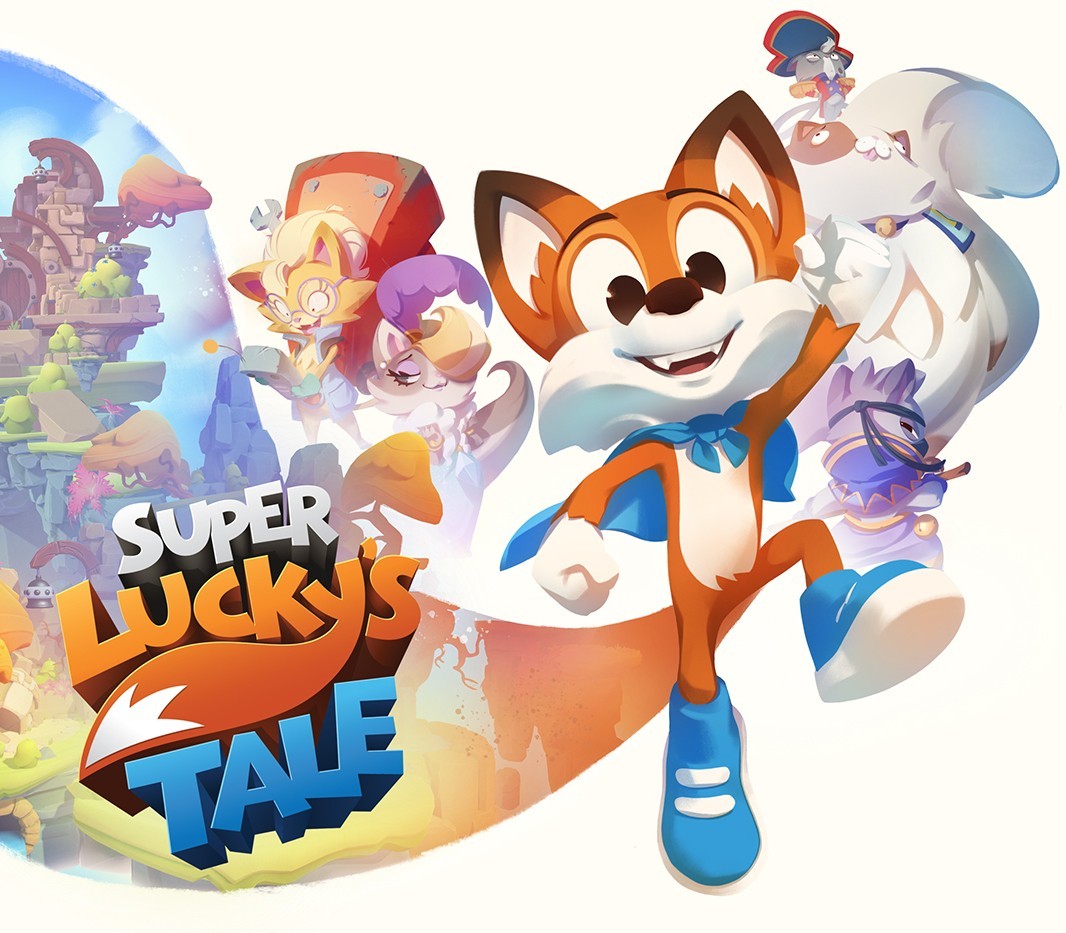
Super Lucky’s Tale: Standard Edition XBOX One / Windows 10 CD Key

21,29$

Super Lucky's Tale: Standard Edition XBOX One / Windows 10 CD Key is a digital license code with no expiration date. After purchase, you will receive the code directly by email — no shipping fees. Activate the code on the platform and system indicated below.

Platform
Xbox One
System
Windows
Buy now
Please note! Your purchase of this digital product is subject to our Terms and Conditions.
  • Rated 9.4 by customers
  • Fast & expert support
  • 100% genuine codes
  • Best prices
  • Instant delivery
SKU: kinguin_43354 Category:

Description

Welcome to Adventure! “Super Lucky’s Tale” is a delightful, playground platformer for all ages that follows Lucky, the ever-optimistic, energetic, and lovable hero, on his quest to find his inner strength and help his sister rescue the Book of Ages from Jinx. Jinx is the scheming and mysterious villain trying to reshape the world, but for what reason? Along the way, encounter a hilarious supporting cast of friends and adversaries. Lucky must confront the nefarious Kitty Litter, Jinx’s mischievous kids – self-taught villains who might not be getting Jinx’s plans quite right. Lucky meets friends and allies along the way too. He meets misplaced Yetis, Kooky Spookies, a village of farming worms, and other colorful friends inhabiting of Ages. Test your skills with puzzles and nerve-wracking obstacle courses. Plus, surprise levels and hidden “foxholes” showing up where you least expect them, challenging Lucky to use his wits and skill. Explore hidden secrets of new worlds with Lucky’s signature burrow move. Dive into unpredictable foxholes, or try devilish side scrolling challenge levels to unlock additional rewards. Head back to the era of classic platformers with challenges players of all skill levels and all ages can enjoy.

How to activate

In order to use the key follow the instruction below:

Go to https:
//www.xbox.com Login to your account Hover over your account link (the top right of the screen) a menu will appear, click on the “Redeem Code” button. On the next page, click “Redeem” Enter your code Click “Confirm” Click “Confirm” again to assign the key to your account. In order to download and install your game on Windows 10 follow the instructions below: Using your Microsoft account, sign in to the PC where you want to install your games. On the Start screen, select the Store icon. In the Store, select Games from the menu. Browse and select the game you want to install.
Additional information

Platform

Region

Type

Terms

  • Purchases for commercial use are not accepted unless stated otherwise.
  • You are purchasing a digital product only.
  • These downloadable codes are produced by the game developer and are original.
  • The codes have no expiration date.
  • For “Downloadable Content” or DLC products, you must own the original game to play the expansion. We cannot offer refunds on these.
  • Products purchased for the wrong platform cannot be exchanged.
  • If you experience any issues with a purchase, please read our activation guides or contact our customer service.

Frequently Asked Questions

Why is the price so low?

Thanks to our global sourcing strategy, we can buy licenses in bulk in regions where prices are lower. This means our customers benefit from great rates. On top of that, competition in the software and game industry is fierce, keeping prices under constant pressure. By buying efficiently and keeping our margins low, we can offer you a fair price without compromising on quality.

Are the licenses legal and genuine?

Yes, all licenses we offer are 100% legal and genuine. We source our codes exclusively through official distributors and trusted suppliers. Please note that some software and games have specific terms of use set by the publisher. We recommend reading these terms carefully and following them.

Do I also get the download link?

Yes, usually! For software products you often receive a download link in our activation guide. For games it works a bit differently: as soon as you enter the license code on the correct platform (such as Steam, the Nintendo eShop or the Microsoft Store), the game is automatically added to your account and the download starts. If you run into any issues, our support team is ready to help.

What if my license does not work?

If your license does not work, please contact our support team. The issue is often easy to solve, for example by entering the code correctly or checking the right region settings. If the problem persists, we will find a suitable solution together. Your satisfaction is our top priority!